
Disclosure: WebFin is reader-supported. If you buy hosting through links on this page, we may earn a commission at no extra cost to you. Commissions vary between providers and our ratings do not — here’s our full disclosure.
Almost every host will move your site for free, so the cost is not what stops people. What stops them is the fear of the site going dark halfway through, and that fear is mostly about one setting nobody mentions until it is too late.
So lower your DNS time-to-live before you do anything else. That single step turns a two-day propagation window into a five-minute one, and it has to happen at least a day before the move rather than during it. A staging copy is the safer place to check the move, and setting up a staging site takes a few minutes.
The Short Answer
Ask your new host to do the migration. All five hosts we have reviewed will do it, most at no charge, and their teams move sites daily.
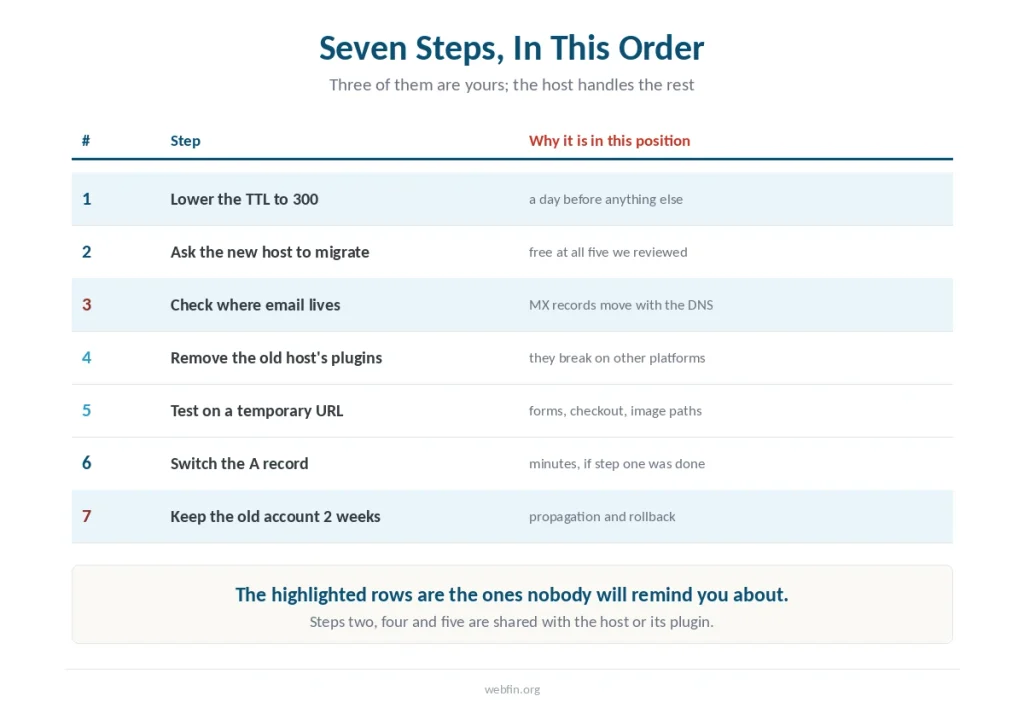
However, three things stay yours to do, because no migration team will do them for you: lower the TTL a day ahead, keep the old account paid until propagation finishes, and check where your email actually lives. What the standard panel shows is covered in understanding cPanel.
Step 1: Lower Your DNS TTL, a Day Before Anything Else
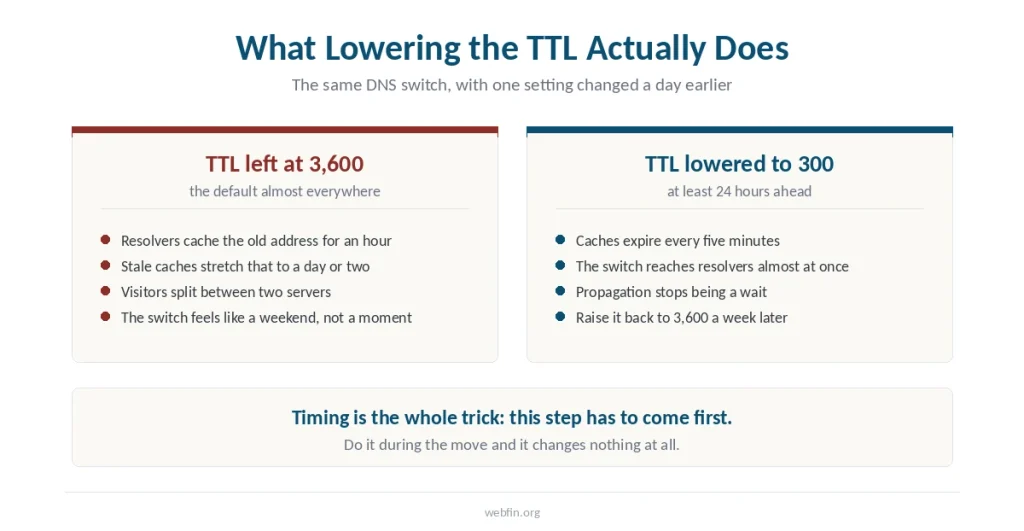
Time-to-live tells the internet how long to cache your DNS record. The usual default is 3,600 seconds, so a change can take an hour to reach any given resolver, and stale caches stretch that to a day or two.
Instead, drop it to 300 seconds at your registrar and wait a full day. Once the old value has expired everywhere, the actual switch propagates in minutes rather than days.
This is the step that decides whether your migration feels instant or feels like a weekend of confused visitors. Then raise it back to 3,600 a week after the move.
Step 2: Ask the New Host to Migrate
In practice, every host in our five reviews offers migration, and the differences are in the count rather than the quality.
Hostinger and Kinsta advertise unlimited free migrations, and so does one host we reviewed later. Bluehost, a Newfold Digital brand, includes up to five sites and twenty email accounts. SiteGround provides a migrator plugin that automates the transfer, which is self-service rather than done for you. Cloudways provides a migration plugin and handles the first site.
Published accounts put the turnaround at 24 to 72 hours for a standard site, with the site staying live throughout.
⚠️ Counts vary between sources, and hosts change these policies without announcement. Confirm the number with support before you rely on it, especially if you are moving more than one site.
Step 3: Check Where Your Email Lives
This is where migrations go wrong for small businesses, and no host warns you clearly.
After all, moving hosting moves the website and nothing else. Email is a separate set of DNS records, and if your mailboxes sit with the old host, they stop working the moment you point the domain elsewhere. Cancel the old account last, as canceling hosting and getting a refund explains.
Two of our five hosts do not sell email at all. If you are moving to one of them, arrange a mail provider before the switch rather than after — we noted which ones in our comparisons.
Step 4: Uninstall the Old Host’s Plugins First
Meanwhile, shared hosts install proprietary plugins that work only on their own platform. Bluehost adds its own plugin and several others; other hosts do the same.
Therefore those plugins either break or conflict once the site is somewhere else. Remove them before the migration rather than debugging them after.
Step 5: Test on the New Host Before Switching DNS
The new host will give you a temporary URL or a staging environment. Open the site there and click through it properly.
In particular, check the things that break silently: contact forms, checkout, image paths, any plugin that stores an absolute URL in the database. Check the response time too, before and after.
Hosts with staging can do this without taking the site offline. Hosts without it will have a window of a few hours when the copy goes live.
Step 6: Switch DNS, Then Wait
Of course, the switch itself is one record: point the A record at the new host. With TTL already lowered, most visitors reach the new server within minutes.
Meanwhile, for a day or two some resolvers may still hold the old address. That is not downtime; it is two versions of your site being reachable, which is why the next step matters.
Step 7: Keep the Old Account Alive for Two Weeks
Do not cancel immediately. This is the most common and most expensive mistake in the whole process.
Besides, while propagation finishes some visitors are still hitting the old server. If you cancel it, they see nothing. Worse, if something turns out to be broken on the new host, the old one is your only rollback.
In short, two weeks of overlap costs one month of hosting. A failed migration with nothing to roll back to costs considerably more.
What to Do If It Does Not Work
Styling missing, site loads. The database still holds absolute URLs pointing at the old domain or an http prefix. A search-and-replace tool fixes this in one pass. The DNS part of the move is covered step by step in pointing a domain to a new host.
Forms stopped sending. The new host blocks the mail function your plugin uses. Switch the form to SMTP.
Some visitors see the old site. Nothing is broken. That is propagation, and it ends on its own.
Email stopped. The MX records went with the DNS change. This is the one that needs fixing immediately rather than waiting it out.
The Refund Window Is Shorter Than It Looks
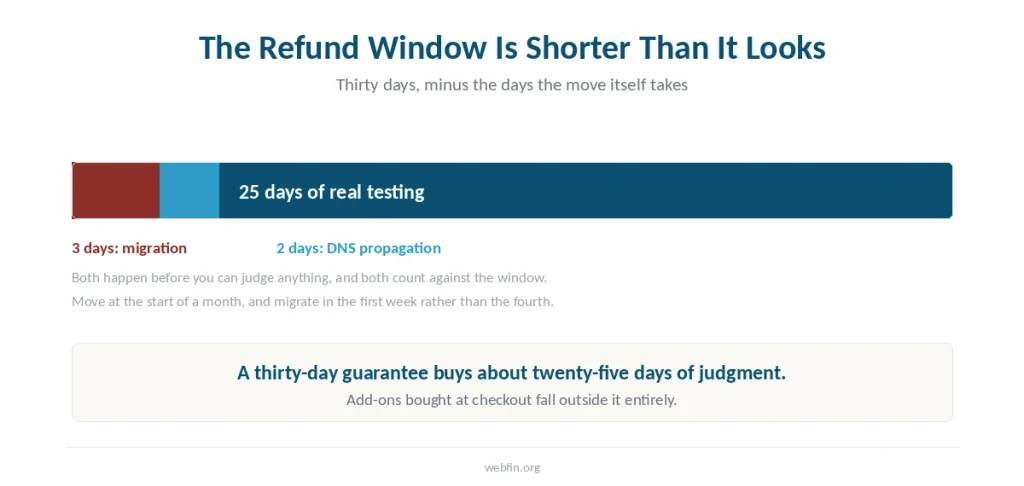
Most hosts in our reviews offer thirty days, though one gives forty-five and another gives ninety on long terms. Migration takes up to three days and propagation up to two more, so the real testing period is about twenty-five days.
Therefore plan the move for the start of a month rather than the end, and check the window first — one host may give only three days, and do the migration in the first week rather than the fourth — the refund terms differ more than the windows.
How We Research
Migration policies come from each host’s own pages and from published accounts that state what they cover. Where sources disagree on the number of free migrations, we say so rather than picking one. Timings are reported figures, not our own measurements — we run no tests of any kind.
Our five criteria and how each host scores are on our About page.
Frequently Asked Questions
Published accounts put a standard site at 24 to 72 hours from request to completion, plus a day or two for DNS propagation. Lowering your TTL to 300 seconds a day beforehand cuts the propagation part to minutes.
It should not. The new host builds a copy while the old one stays live, and you switch DNS only after testing. Hosts with staging environments can do this with no downtime at all.
Most do, and the difference is in the count. Hostinger and Kinsta advertise unlimited free migrations, Bluehost includes up to five sites, and SiteGround and Cloudways provide plugins that automate the transfer.
Nothing automatically. Email uses separate DNS records, so mailboxes hosted with your old provider stop working when the domain points elsewhere. Arrange mail hosting before the switch, not after.
Two weeks after the DNS switch, not before. Propagation takes a day or two, and until it finishes some visitors still reach the old server. The old account is also your only rollback if something breaks.
The Verdict
Migration is free almost everywhere, so it is not the reason to stay. The friction is entirely in the three things the migration team will not do for you.
So lower the TTL a day early. Sort out email before the switch rather than after. Keep the old account paid for two weeks. Our page on dedicated against cloud hosting covers when a whole machine still earns its price.
Do those three and the move is uneventful, which is exactly what a hosting migration should be.